ClicksbyNextjsshop: The Best Alternative to Shots.so in 2025
Discover ClicksbyNextjsshop - the ultimate product screenshot editor with advanced features like custom backgrounds, annotations, and 10K resolution exports. The perfect Shots.so alternative for 2025.
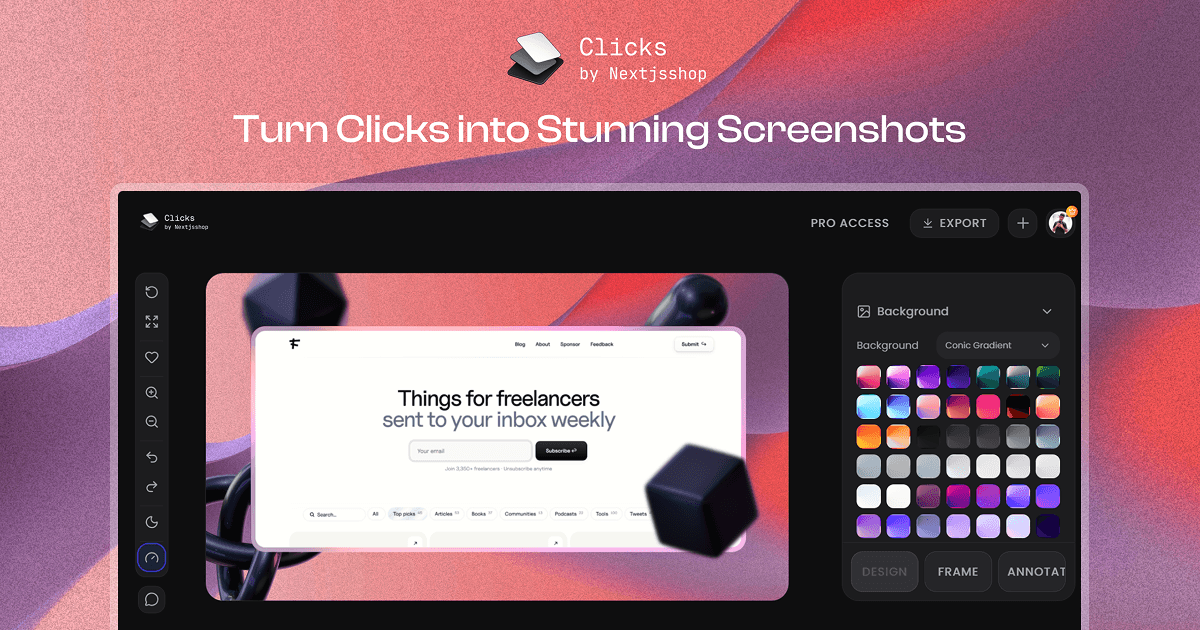
ClicksbyNextjsshop: The Best Alternative to Shots.so in 2025
Looking for a powerful, feature-rich alternative to Shots.so? ClicksbyNextjsshop is here to revolutionize how you create stunning product screenshots and showcases. Built on Next.js with cutting-edge technology, it offers everything you need and more to create professional product presentations that stand out.
Why Choose ClicksbyNextjsshop Over Shots.so?
While Shots.so has been a popular choice, ClicksbyNextjsshop takes product screenshot editing to the next level with:
- Advanced background customization with multiple options
- Professional annotation tools with extensive collections
- Ultra-high resolution exports up to 10K
- Intuitive drag-and-drop interface with precise controls
- Light and dark mode support for comfortable editing
- Save and resume functionality for seamless workflow
Core Features
1. Upload & Background Customization
Start by uploading your product screenshots and transform them with powerful background options:
Multiple Background Types
- Wallpapers - Choose from a curated collection of beautiful wallpapers
- Conic Gradient - Create stunning radial gradient backgrounds
- Linear Gradient - Design smooth linear gradient effects
- Custom Backgrounds - Upload your own background images
Pro users get access to exclusive content packs:
- Exclusive Background Pack - A curated pack of exclusive backgrounds (Pro only)
- Exclusive Cosmic Gradients Background - A curated pack of exclusive cosmic gradient backgrounds (Pro only)
- Exclusive Linear Gradients Background - A curated pack of exclusive linear gradient backgrounds (Pro only)
Change backgrounds instantly to match your brand or create different variations for A/B testing.
2. Flexible Aspect Ratio Selection
Choose the perfect aspect ratio for your needs:
Daily Use Presets
Quickly select from commonly used aspect ratios:
- Instagram Post (1:1)
- Instagram Story (9:16)
- Twitter/X Post (16:9)
- LinkedIn Post (1.91:1)
- YouTube Thumbnail (16:9)
- And many more...
Custom Aspect Ratio (Pro Feature)
For professional users, create custom aspect ratios tailored to your specific requirements. Perfect for unique marketing materials or specialized platforms. This is a Pro-only feature that gives you complete control over your canvas dimensions.
3. Advanced Canvas Controls
Take full control of your product screenshot with intuitive editing tools:
Drag and Drop
- Position your image anywhere on the canvas with simple drag-and-drop
- Real-time preview as you move elements
- Snap-to-grid option for precise alignment
Zoom Controls
- Zoom In - Get closer to details for precise editing
- Zoom Out - See the full composition at a glance
- Smooth zoom transitions for better user experience
4. Premium Templates (Pro Feature)
Save time with professionally designed templates:
- One-click template selection - Choose from a library of pre-designed layouts
- Industry-specific templates - Templates for SaaS, E-commerce, Mobile Apps, and more
- Customizable templates - Modify any template to match your brand
- Premium template collection - Access exclusive premium templates
This is a Pro-only feature that gives you instant access to professionally designed templates. Perfect for users who want professional results without starting from scratch.
5. Layout Presets & Advanced Controls
Control every aspect of your product screenshot layout:
Layout Presets
Choose from predefined layout arrangements optimized for different use cases:
- Centered - Classic centered composition
- Left Aligned - Modern left-aligned layouts
- Right Aligned - Creative right-aligned designs
- Grid Layouts - Multi-image grid arrangements
Advanced Layout Controls
For precise positioning, use professional controls:
- Translate X - Move horizontally with pixel-perfect precision
- Translate Y - Move vertically to achieve perfect positioning
- Scale - Resize your product screenshot proportionally
- Rotate Z - Rotate your image on the Z-axis
- Rotate X - 3D rotation on the X-axis
- Rotate Y - 3D rotation on the Y-axis
- Skew X - Apply horizontal skew transformation
- Skew Y - Apply vertical skew transformation
These controls give you complete creative freedom to position your product exactly as you envision.
6. Shadow Effects
Add depth and dimension with professional shadow effects:
Shadow Options
- Multiple shadow presets - Choose from various shadow styles
- Opacity control - Adjust shadow intensity from subtle to dramatic
- Underlay shadows - Place shadows behind your product
- Overlay shadows - Add shadows on top for unique effects
- Custom shadow positioning - Control shadow offset and blur
Pro users get access to Exclusive Overlay Shadows - A curated pack of exclusive overlay shadows for professional depth effects (Pro only).
Shadows help your product screenshots pop off the background and create a professional, polished look.
7. Background Effects
Enhance your backgrounds with powerful effects:
Noise Effect
- Add texture and depth with noise effects
- Adjustable intensity for subtle or dramatic results
- Perfect for creating vintage or artistic looks
Blur Effect
- Apply blur to backgrounds for focus on your product
- Variable blur intensity
- Create beautiful bokeh effects
- Perfect for making your product stand out
Combine noise and blur effects for unique, eye-catching backgrounds.
8. Border Effects & Radius Options
Style your product screenshot with professional borders:
Border Styles
Choose from multiple border effects:
- Glass Light - Modern frosted glass effect with light theme
- Glass Dark - Elegant dark glass border
- Liquid Glass - Dynamic, flowing glass effect
- Border - Classic solid border option
Border Radius Options
Control corner rounding with:
- Sharp - No rounding, perfect corners
- Curved - Subtle, elegant rounding
- Round - Fully rounded corners
- Custom Radius - Set exact pixel values for each corner
Create the perfect border style that matches your brand aesthetic.
9. Annotation Tab - The Ultimate Annotation Tool
Add context, highlights, and callouts with the powerful annotation system:
Custom Annotation Upload (Pro Feature)
- Upload your own annotations - Use custom graphics, logos, or icons
- Full control over each annotation element
- Unlimited annotations per project
Custom annotation upload is a Pro-only feature that allows you to add your own branding, logos, and custom graphics to your screenshots.
Individual Annotation Controls
Each annotation has its own set of controls:
- Size - Resize annotations independently
- Tilt X - Rotate on X-axis for 3D effects
- Tilt Y - Rotate on Y-axis for perspective
- Tilt Z - Rotate on Z-axis for orientation
- Blur - Apply blur effects to annotations
Right-Click Context Menu
Right-click any annotation on the canvas to access:
- Bring to Front - Move annotation above other elements
- Bring to Back - Move annotation behind other elements
- Duplicate - Quickly copy annotations
- Delete - Remove unwanted annotations
This intuitive menu makes managing multiple annotations effortless.
10. Extensive Annotation Collection
Access a massive library of ready-to-use annotations:
Available Collections
- Tapes - Decorative tape elements for highlighting
- Torn Paper - Realistic torn paper effects
- Pixel Emojis - Fun pixelated emoji collection
- Scribbles - Hand-drawn scribble elements
- Scribbles2 - Additional scribble variations
- Handwritten Arrows - Natural-looking arrow annotations
- 3D Abstract - Modern 3D abstract shapes (Pro users get access to Exclusive 3D Abstract Shapes pack)
- 3D Objects - Realistic 3D object annotations (Pro users get access to Exclusive 3D Objects pack)
- Background Lines - Decorative line elements
- Shapes - Geometric and organic shapes
- Icons Solid - Solid style icon collection
- Icons Outline - Outline style icons
- Social Icons - Popular social media icons
- Text Hands - Hand-drawn text elements
- Notion Icons - Notion-style icon set
- Cursors - Mouse cursor annotations
With thousands of annotations to choose from, you'll never run out of creative options.
11. Export Image upto 10k Resolution (Pro Feature)
Export your creations in stunning quality:
- Export images in multiple resolutions - 2K, 4K, 6K, 8K, and up to 10K
- Perfect for large format printing - Ultra-high resolution for professional use
- Multiple export formats - PNG, JPG, WebP, and more
- Quality settings - Control file size vs. quality
Export Image upto 10k Resolution is a Pro-only feature. Free users can export up to 1K HD resolution, while Pro users get access to resolutions up to 10K for the highest quality outputs.
12. Light & Dark Mode Support
Work comfortably in any environment:
- Light mode - Clean, bright interface for daytime editing
- Dark mode - Easy on the eyes for extended editing sessions
- Automatic switching - Follows your system preferences
- Manual toggle - Switch modes anytime
The interface adapts to your preferences, ensuring a comfortable editing experience.
13. Save Current Work (Pro Feature)
Never lose your progress:
- Save projects - Save your current work at any time
- Resume editing - Return to your projects anytime
- Version history - Access previous versions of your work
- Cloud sync - Access your projects from any device
Save Current Work is a Pro-only feature that allows you to save your projects and continue working on them later. Work on your projects at your own pace, knowing your progress is always saved.
Comparison: ClicksbyNextjsshop vs. Shots.so
| Feature | ClicksbyNextjsshop | Shots.so |
|---|---|---|
| Background Options | Multiple (Wallpapers, Gradients, Custom) | Limited |
| Aspect Ratios | Presets + Custom | Limited presets |
| Canvas Controls | Drag, Drop, Zoom, Advanced transforms | Basic |
| Templates | Extensive library (Pro) | Limited |
| Layout Controls | 8+ transformation controls | Basic |
| Shadow Effects | Multiple with opacity control | Basic |
| Background Effects | Noise + Blur | Limited |
| Border Styles | 4+ styles | Basic |
| Border Radius | Sharp, Curved, Round, Custom | Limited |
| Annotations | Custom upload + Huge collection | Limited |
| Annotation Controls | Size, Tilt X/Y/Z, Blur | Basic |
| Export Resolution | Up to 10K | Limited |
| Light/Dark Mode | ✅ Yes | ❌ No |
| Save & Resume | ✅ Yes | Limited |
Use Cases
ClicksbyNextjsshop is perfect for:
- SaaS Product Marketing - Create stunning feature showcases
- E-commerce Product Pages - Design professional product images
- Social Media Content - Create eye-catching posts and stories
- Marketing Campaigns - Design high-quality marketing materials
- App Store Screenshots - Create compelling app previews
- Portfolio Presentations - Showcase your work professionally
- Documentation - Add annotations to technical screenshots
Getting Started
Ready to create amazing product screenshots? Here's how to get started:
- Upload your screenshot - Drag and drop or browse to upload
- Choose your background - Select from wallpapers, gradients, or upload custom
- Set aspect ratio - Pick a preset or create a custom ratio
- Position your image - Use drag-and-drop and zoom controls
- Add effects - Apply shadows, borders, and background effects
- Add annotations - Use the extensive collection or upload custom
- Export - Save in up to 10K resolution
Pro Features
Unlock even more power with ClicksbyNextjsshop Pro. Here are all the exclusive Pro features:
Core Pro Features
-
Export Image upto 10k Resolution - Export images in multiple resolutions (2K, 4K, 6K, 8K, and up to 10K) for the highest quality outputs
-
Premium Templates - Access to our premium templates collection with professionally designed layouts
-
Save Current Work - Save your current work for later use and resume editing anytime
-
Custom Aspect Ratio - Create custom aspect ratios tailored to your specific requirements
-
Custom Annotation - Upload your own custom annotations, graphics, logos, and icons
Exclusive Pro Content Packs
-
Exclusive Background Pack - A curated pack of exclusive backgrounds
-
Exclusive Cosmic Gradients Background - A curated pack of exclusive cosmic gradient backgrounds
-
Exclusive Linear Gradients Background - A curated pack of exclusive linear gradient backgrounds
-
Exclusive Overlay Shadows - A curated pack of exclusive overlay shadows for professional depth effects
-
Exclusive 3D Abstract Shapes - A curated pack of exclusive 3D abstract shapes
-
Exclusive 3D Objects - A curated pack of exclusive 3D objects
What's Available in Free?
- Unlimited Exports (1k HD) - Create as many exports as you need in 1K HD resolution
- Layout Presets - Access to our layout presets collection
Upgrade to Pro to unlock all these powerful features and take your product screenshots to the next level!
Conclusion
ClicksbyNextjsshop is not just an alternative to Shots.so—it's a complete upgrade. With its comprehensive feature set, intuitive interface, and powerful editing capabilities, it's the perfect tool for anyone serious about creating professional product screenshots in 2025.
From flexible backgrounds and aspect ratios to advanced annotations and ultra-high resolution exports, ClicksbyNextjsshop gives you everything you need to create stunning visuals that capture attention and drive results.
Ready to Transform Your Product Screenshots?
Start using ClicksbyNextjsshop today and experience the difference. Whether you're a designer, marketer, or entrepreneur, you'll discover why it's the best choice for product screenshot editing in 2025.
Join thousands of creators who have made the switch to ClicksbyNextjsshop. Create, customize, and export professional product screenshots like never before!